
Reading the Tyre Dashboard
Open Tyre Dashboard.
- Choose Overview, Change-outs, Tyre stock or Inspections.
- Set History & demand, Warning window and Inspection horizon as needed.
- Follow the relevant review link to investigate the records behind a summary. Use Refresh to reload the current position.
Serviceable stock counts active, unfitted In Stock tyres in New or Used condition. Estimated cover uses recorded first fitments in the selected history period; no recent demand leaves cover unavailable.
Change-out targets support planning. They do not declare a tyre safe, require disposal or replace an inspection. Missing targets, readings or inspection schedules need investigation rather than being treated as a pass.
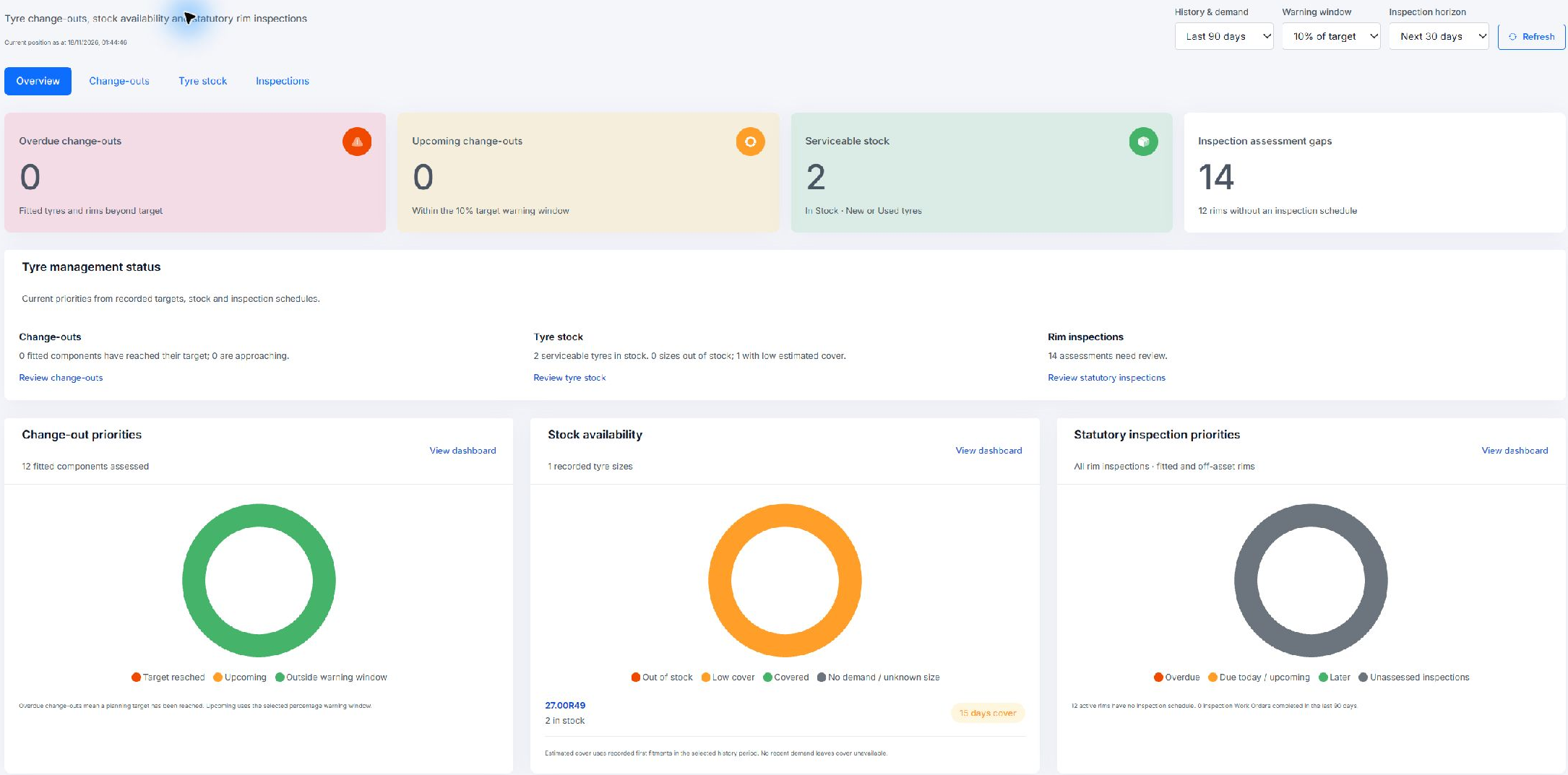
Tyre Dashboard overview with history, warning and inspection controls. Example figures illustrate the layout, not a safety assessment.