
Receiving and transferring tyre stock
Open Tyre and Rim Register and locate the tyre. Open the row’s three-dot Transactions for tyre menu. Available transaction actions depend on its current state and your permissions.
- Use Receive into Stock when the tyre's workflow permits returning or receiving it into stock.
- Enter Effective Date / Time, Destination Warehouse and any Physical Location required by the form.
- Use Transfer Stock for a move to a different warehouse. Review the destination, add any reference or supporting notes, then select Transfer Stock to submit when the recorded details match the actual movement.
- Review the tyre's location and transaction history after saving.
Leaving physical location blank on a transfer clears the previous warehouse's bay description. A wheel must be split before moving only its tyre. Dispatch, repair and inspection actions represent different custody stages; use the action matching the actual movement.
These are serialised tyre transactions. They are not instructions to adjust ordinary parts stock or receive a purchase order.
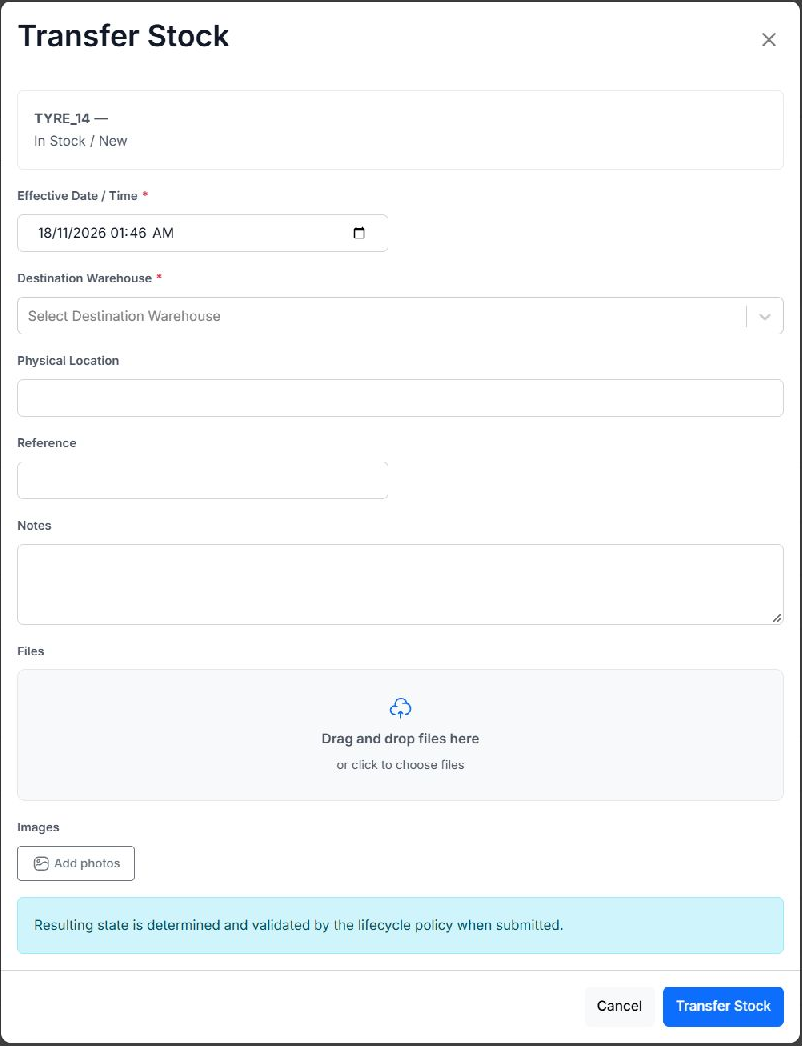
Unsaved Transfer Stock form for an example in-stock tyre. Select the destination warehouse and review the effective date before submitting.