
Reviewing readings and tyre history
Open Tyre Workspace and select an Asset.
- Use Tread Depth, Usage, Distance and Pressure to review the available position data.
- Select a tyre serial number to open Tyre Information and its Tyre Story timeline. You can also select its serial number from the Tyres tab of Tyre and Rim Register.
- Check transaction dates, fitments, removals and recorded supporting details when investigating a discrepancy.
- For a tread inspection, use the measurement action offered for the selected tyre and complete every sample required by its configured profile. Check the reading time and add supporting notes or an image where appropriate.
The plus button beside Asset usage opens its meter-reading form. This records an Asset meter reading; it is not a direct edit of a tyre's lifetime total.
Lifetime usage combines opening usage, completed fitments and the current fitment. Hours and distance remain separate. Missing or unreliable readings can leave usage unavailable; a blank value does not mean zero. Recorded transactions are retained as history, with corrections recorded as additional transactions.
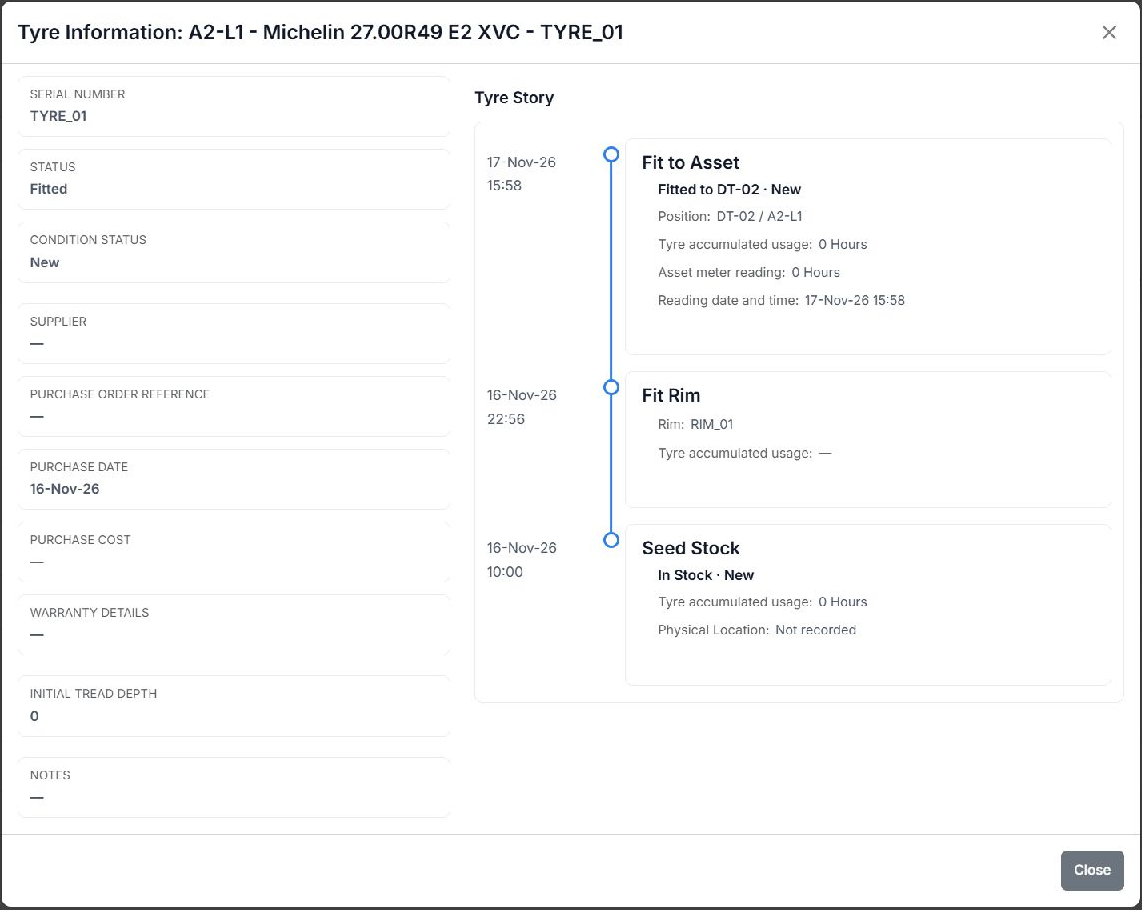
Tyre Information shows the Tyre Story timeline: opening stock, rim pairing and fitment in this example.