
Registering a tyre
Open Tyre and Rim Register and choose Add Tyre.
- Enter the tyre's Serial Number, select its Tyre Type and choose its Meter.
- Select the initial Status, Warehouse and Condition Status. Add Current Physical Location for the bay or other location within the warehouse.
- Enter Opening Usage in the selected meter's unit. Use the known opening value, not an estimate invented to complete the form.
- Add available purchase, supplier, warranty and supporting file details.
- Review and save the record.
Each record represents one serialised tyre. This is separate from recording a quantity of ordinary parts stock. A Purchase Order Reference is a reference field; do not assume entering it receives a purchase order or updates parts stock quantities.
Later fitment, removal and custody changes use transactions. Editing tyre details does not directly change its fitted Asset or position; status, condition and opening usage are locked in the tyre edit form.
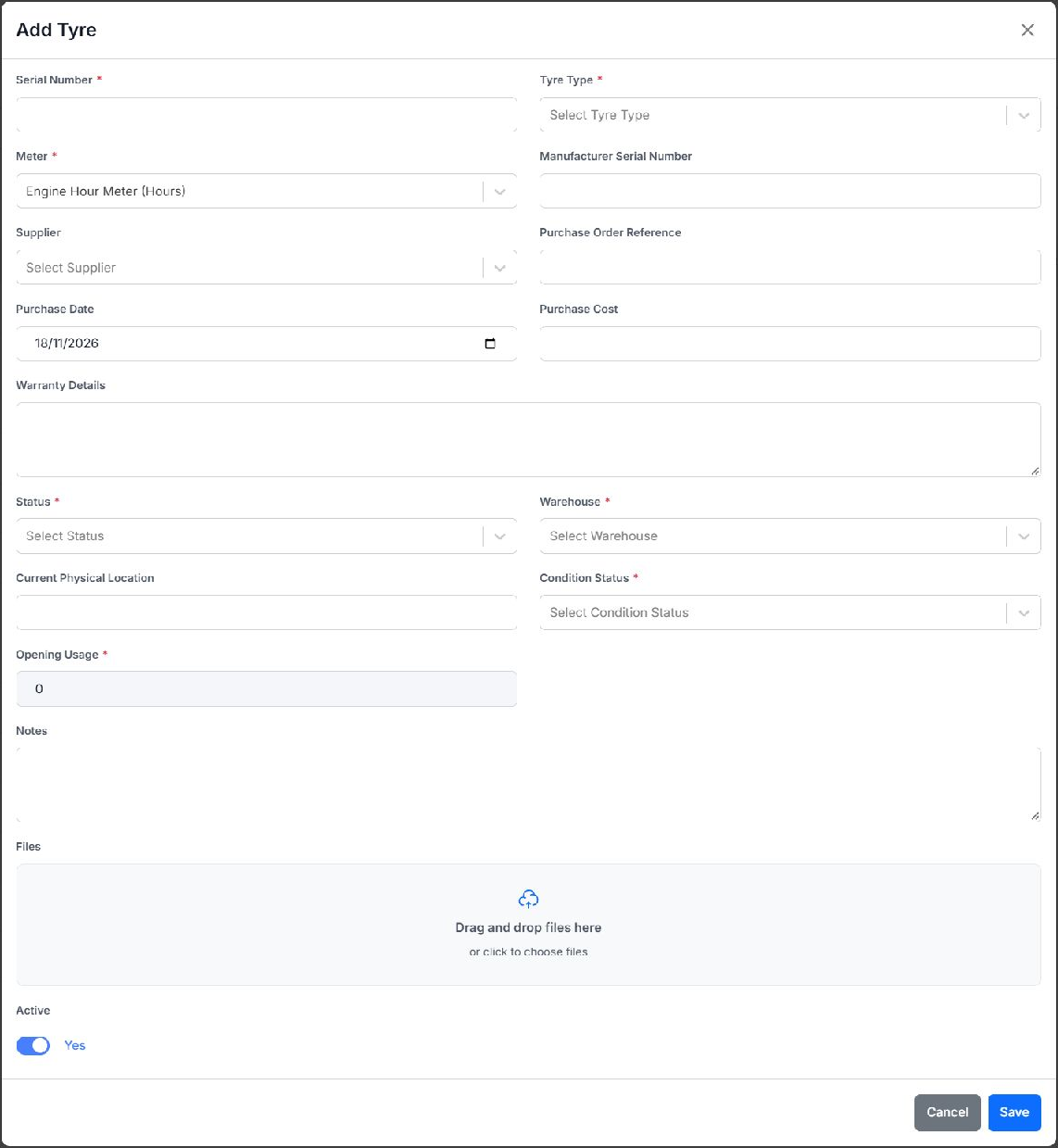
Blank Add Tyre form. Required fields are marked with an asterisk; no record was saved for this example.