
Registering a rim
Open Tyre and Rim Register, select the rim register and choose Add Rim.
- In General, enter Serial Number, Rim Type, Status, Condition Status, Warehouse and any Physical Location.
- Add purchase, warranty, notes and files where available.
- In Life and Usage, select Usage Tracking: Hours, Distance or Hours and Distance.
- For each selected meter, enter its start usage, positive annual utilisation and an end of life greater than start usage.
- Save. Use Inspections to configure the rim's inspection tasks.
A rim keeps its own usage and inspection history as it moves between Assets. A tyre-only change does not restart rim life. Save changes to an existing rim's meters before adding usage-based tasks. A meter used by inspection tasks or fitment history cannot simply be removed or replaced.
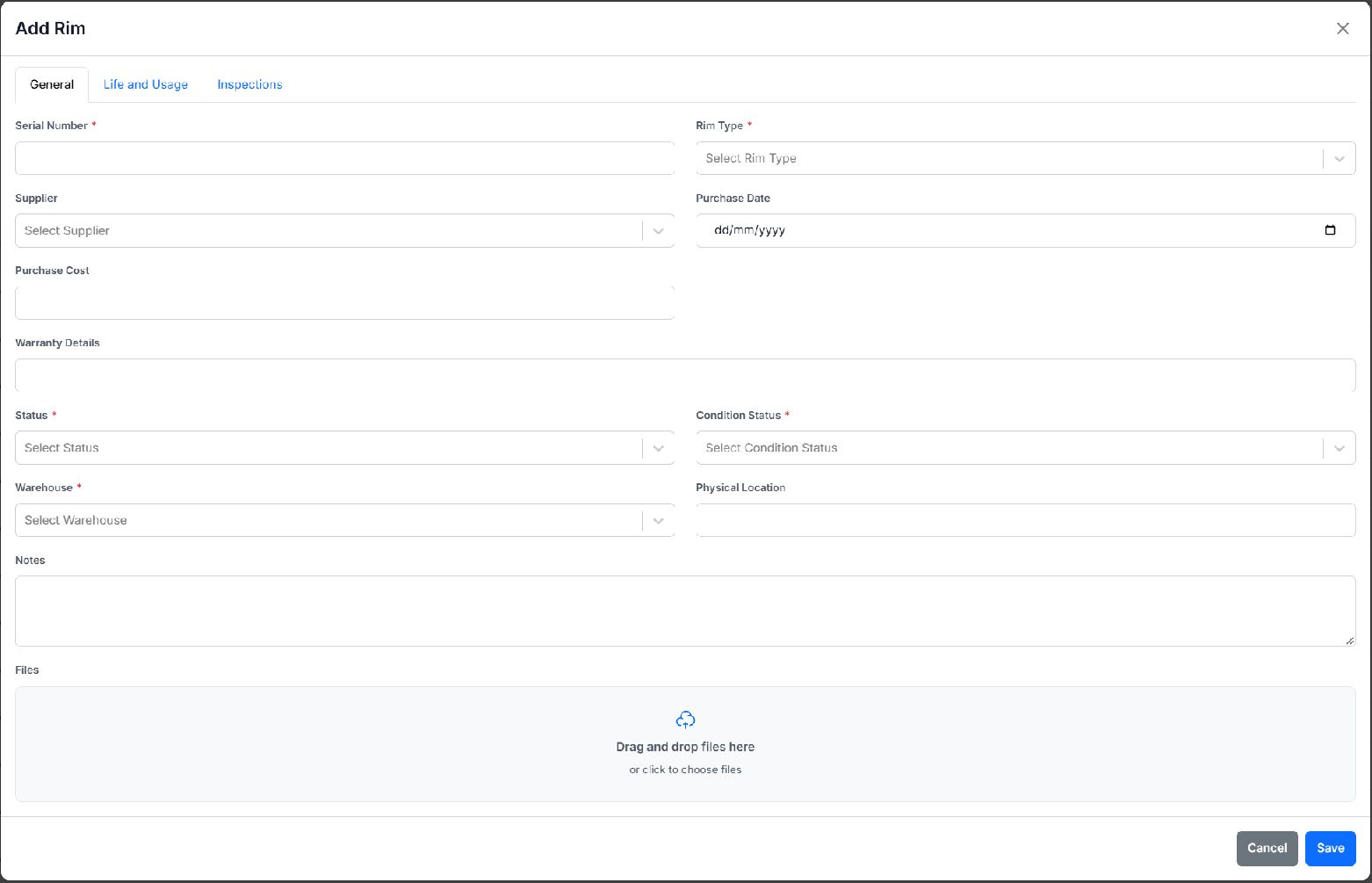
General tab of the blank Add Rim form, including warehouse and physical location.
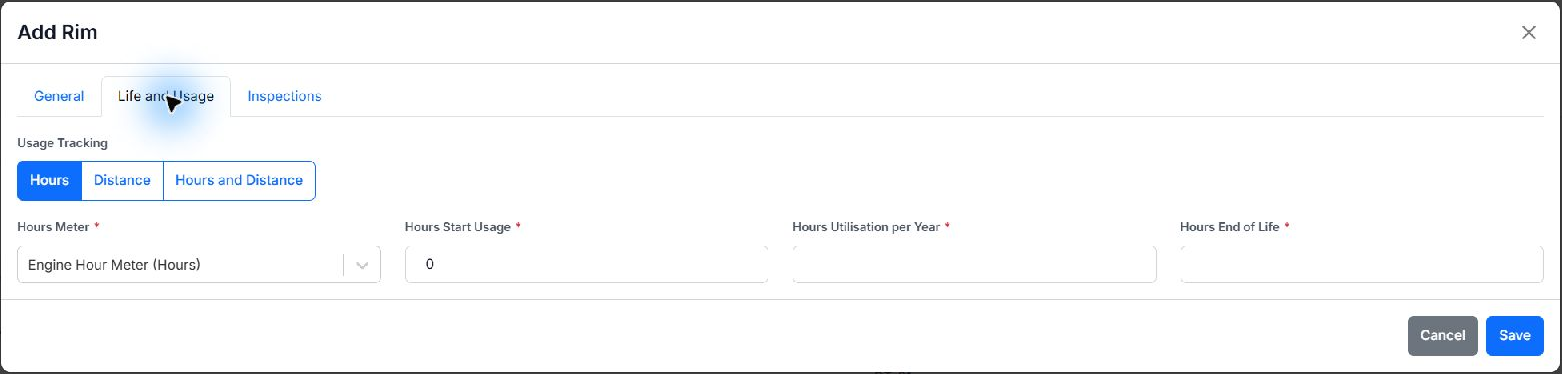
Life and Usage tab with Hours selected. Configure each selected meter before saving.